

Create the Action Instance
Click Actions in the Administration menu.
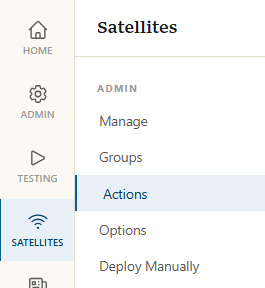
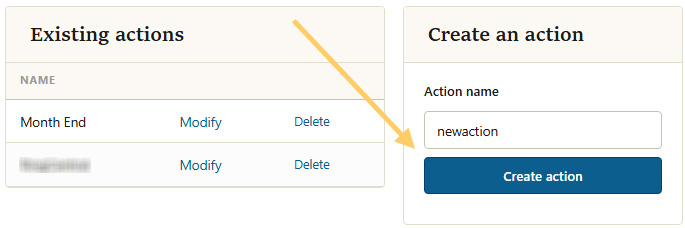
Give the action a name and click Create AWO.
Add a Report
From the dropdown list, select Publish a Report.
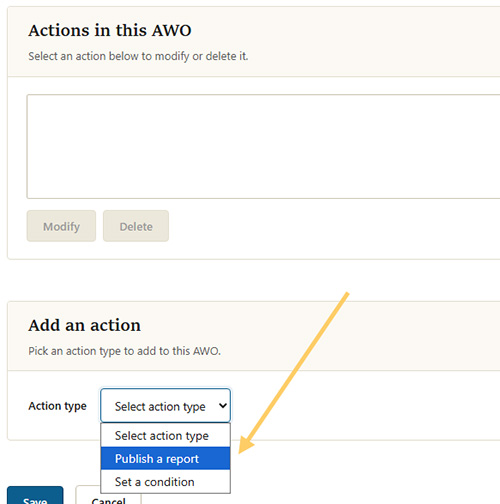
This will bring up a new page to configure the report that will be published when the action triggers.
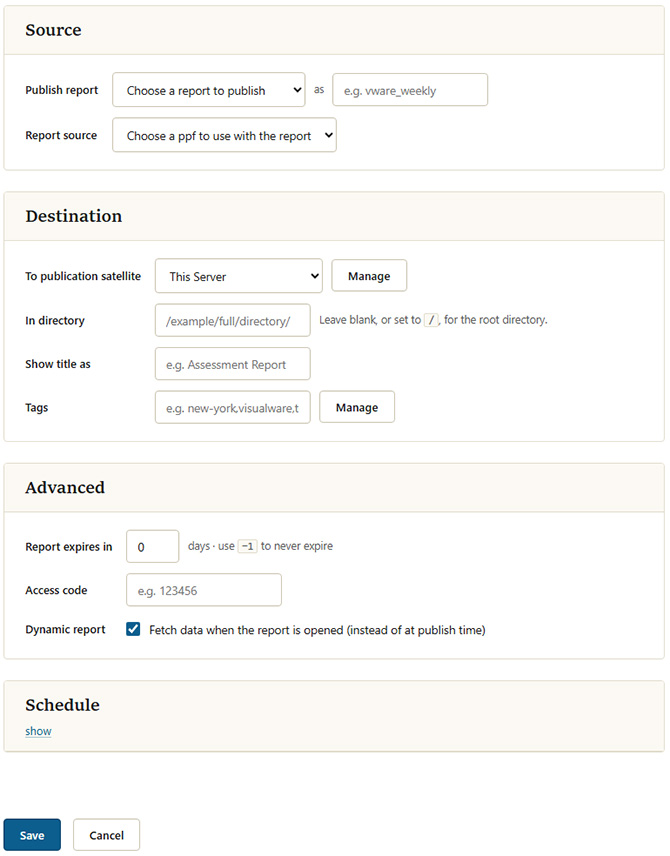
Configure a Report
The image below shows how the report specification page will look when the page loads. Each option is explained in the publication user guide.
Tilde Variables
MCS includes a feature to automatically extract certain information about a report at the time of publication. This information can then be used within the report itself or its specifications. These extracted pieces of information are known as "tilde variables" because they are enclosed within tilde (~) characters.
These variables consist of:
| Variable | Description |
|---|---|
~sid~ |
Translates to the full session ID used for the test |
~sid1~ |
Translates to the first barrel of the session ID |
~sid2~ |
Translates to the second barrel of the session ID |
~sid3~ |
Translates to the third barrel of the session ID |
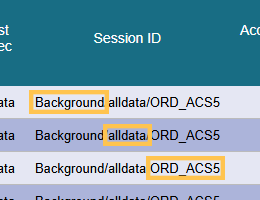
The image below illustrates the session ID format that MCS uses for results generated by a work order. The session ID consists of three segments ("barrels"):
| Barrel | Description |
|---|---|
| First barrel | The name of the satellite group that the satellite belonged to when the work order was executed |
| Second barrel | The name of the test being performed |
| Third barrel | A unique identifier assigned to the work order. This segment is particularly important, as it should ideally be unique for each work order execution. |
Next Steps
Once an action has been created, it can be assigned to a work order.