

Overview
The prerequisites for this tutorial are that MySQL has already been installed and that a database has been created. The database name in these examples will be mcs.
A Quality test can only be performed by an Access Device. Any MySpeed or MyHiSpeed test run from an Access Device will output results to the Quality database.
Create Table
The CREATE TABLE statement below can be used to create a table named quality. The table includes some generic test metrics, such as ISP, IP and Session ID (SID), along with the results of the test.
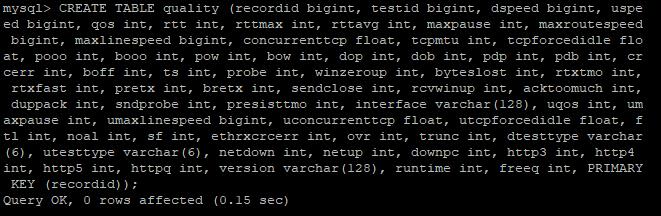
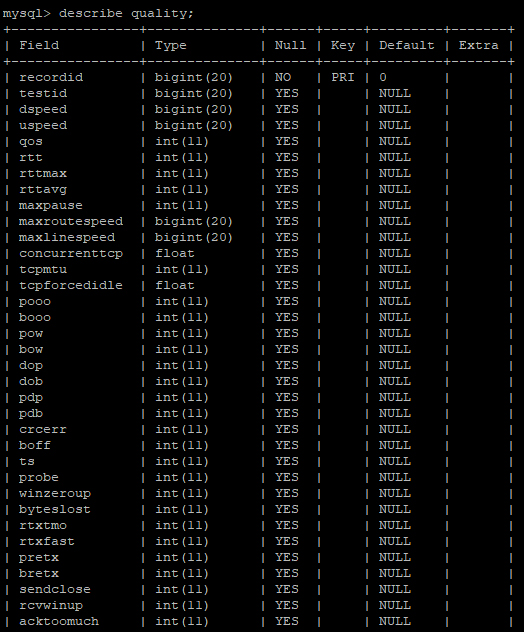
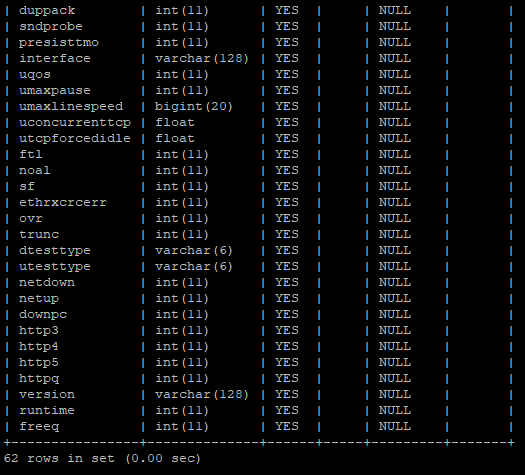
CREATE TABLE quality (recordid bigint, testid bigint, dspeed bigint, uspeed bigint, qos int, rtt int, rttmax int, rttavg int, maxpause int, maxroutespeed bigint, maxlinespeed bigint, concurrenttcp float, tcpmtu int, tcpforcedidle float, pooo int, booo int, pow int, bow int, dop int, dob int, pdp int, pdb int, crcerr int, boff int, ts int, probe int, winzeroup int, byteslost int, rtxtmo int, rtxfast int, pretx int, bretx int, sendclose int, rcvwinup int, acktoomuch int, duppack int, sndprobe int, presisttmo int, interface varchar(128), uqos int, umaxpause int, umaxlinespeed bigint, uconcurrenttcp float, utcpforcedidle float, ftl int, noal int, sf int, ethrxcrcerr int, ovr int, trunc int, dtesttype varchar(6), utesttype varchar(6), netdown int, netup int, downpc int, http3 int, http4 int, http5 int, httpq int, version varchar(128), runtime int, freeq int, PRIMARY KEY (recordid));The image below is an example of copying and pasting the above statement into a MySQL command prompt. Once the table has been created, the describe tablename; command can be used to view the newly created table structure.
Enable MySQL
The next step is to enable MySQL in MyConnection Server (MCS). This may already have been done. If not, see Enable SQL.
Create Profile
With MySQL enabled and the table created, configure MCS to export data. The first step is to create a SQL profile.
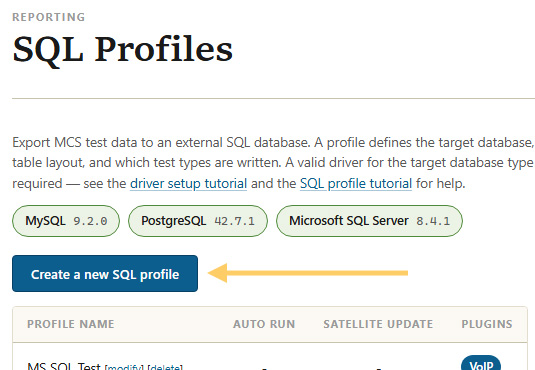
From the MCS main menu, click Manage SQL Profiles in the administration panel.
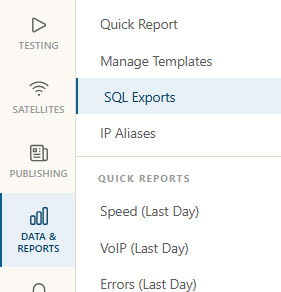
On the resulting page, click Create a new SQL profile.
The new profile form is split into three sections: Profile, Connection, and Options. Complete them as described below.
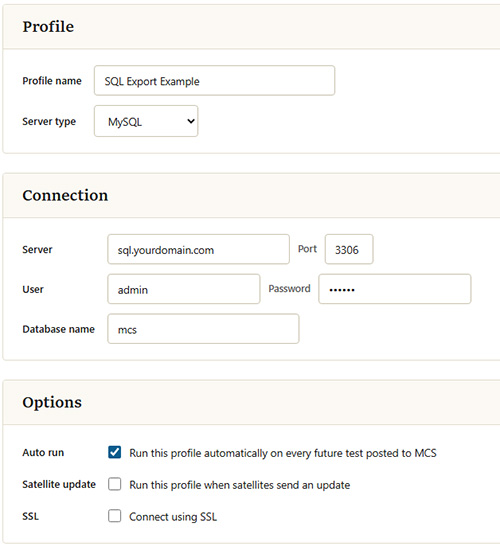
| Setting | Description |
|---|---|
| Profile name | A name for this profile. It appears in the SQL profiles list so you can identify it later. |
| Server type | The database server type. Select MySQL for this tutorial. MCS also supports Microsoft SQL Server and PostgreSQL. |
| Server / Port | The host name or IP address of the MySQL server, and the port it listens on. The MySQL default is 3306. |
| User / Password | The credentials MCS uses to log in to the MySQL server. The account needs permission to insert into the target database. |
| Database name | The database that contains the quality table you created earlier (mcs in this tutorial). |
| Auto run | Tick Run this profile automatically on every future test posted to MCS so that each Quality test result is exported as soon as it is recorded. Without this, the profile only runs when triggered manually. |
| SSL | Tick Connect using SSL to encrypt the connection between MCS and the database server. The database server must be configured to accept SSL/TLS connections; leave it unticked for a standard, unencrypted connection. |
Save the profile, which will return to the profiles list. Immediately modify the profile, as the next step is defining the export data.
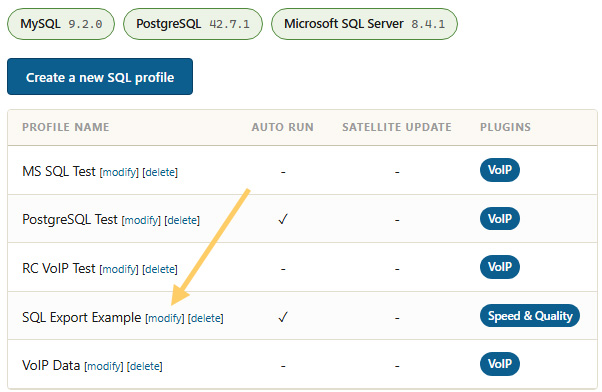
Define Export Data
The SQL Statements to run text box is where the export data is specified, in the form of an INSERT INTO statement.
The INSERT INTO statement below matches the CREATE TABLE specified in the first step. Copy and paste it into the text box.
[act] INSERT INTO quality (recordid, testid, dspeed, uspeed, qos, rtt, rttmax, rttavg, maxpause, maxroutespeed, maxlinespeed, concurrenttcp, tcpmtu, tcpforcedidle, pooo, booo, pow, bow, dop, dob, pdp, pdb, crcerr, boff, ts, probe, winzeroup, byteslost, rtxtmo, rtxfast, pretx, bretx, sendclose, rcvwinup, acktoomuch, duppack, sndprobe, presisttmo, interface, uqos, umaxpause, umaxlinespeed, uconcurrenttcp, utcpforcedidle, ftl, noal, sf, ethrxcrcerr, ovr, trunc, dtesttype, utesttype, netdown, netup, downpc, http3, http4, http5, httpq, version, runtime, freeq) VALUES (%RECORDID%, %TESTID%, %ACT.DSPEED%, %ACT.USPEED%, %ACT.QOS%, %ACT.RTT%, %ACT.RTTMAX%, %ACT.RTTAVG%, %ACT.MAXPAUSE%, %ACT.MAXROUTESPEED%, %ACT.MAXLINESPEED%, %ACT.CONCURRENTTCP%, %ACT.TCPMTU%, %ACT.TCPFORCEDIDLE%, %ACT.TCPRXPOOO%, %ACT.TCPRXBOOO%, %ACT.TCPRXPOW%, %ACT.TCPRXBOW%, %ACT.TCPRXDOP%, %ACT.TCPRXDOB%, %ACT.TCPRXPDP%, %ACT.TCPRXPDB%, %ACT.TCPRXCRCERR%, %ACT.TCPRXBOFF%, %ACT.TCPRXTS%, %ACT.TCPRXPROBE%, %ACT.TCPRXWINZEROUP%, %ACT.TCPBYTESLOST%, %ACT.TCPTXRTXTMO%, %ACT.TCPTXRTXFAST%, %ACT.TCPTXPRETX%, %ACT.TCPTXBRETX%, %ACT.TCPTXSNDWINCLOSE%, %ACT.TCPTXRCVWINUPD%, %ACT.TCPTXRCVACKTOOMUCH%, %ACT.TCPTXRCVDUPACK%, %ACT.TCPTXSNDPROBE%, %ACT.TCPTXPERSISTTIMEO%, '%ACT.INTERFACE%', %ACT.UQOS%, %ACT.UMAXPAUSE%, %ACT.UMAXLINESPEED%, %ACT.UCONCURRENTTCP%, %ACT.UTCPFORCEDIDLE%, %ACT.ETHRXFTL%, %ACT.ETHRXNOAL%, %ACT.ETHRXSF%, %ACT.ETHRXCRCERR%, %ACT.ETHRXOVR%, %ACT.ETHRXTRUNC%, '%ACT.DTESTTYPE%', '%ACT.UTESTTYPE%', %ACT.NETDOWNSEC%, %ACT.NETUPSEC%, %ACT.NETDOWNPC%, %ACT.HTTP3XXSEC%, %ACT.HTTP4XXSEC%, %ACT.HTTP5XXSEC%, %ACT.HTTPQXXSEC%, '%ACT.VERSION%', %ACT.RUNTIME%, %ACT.FREEQ%);Once pasted, it should look like this:
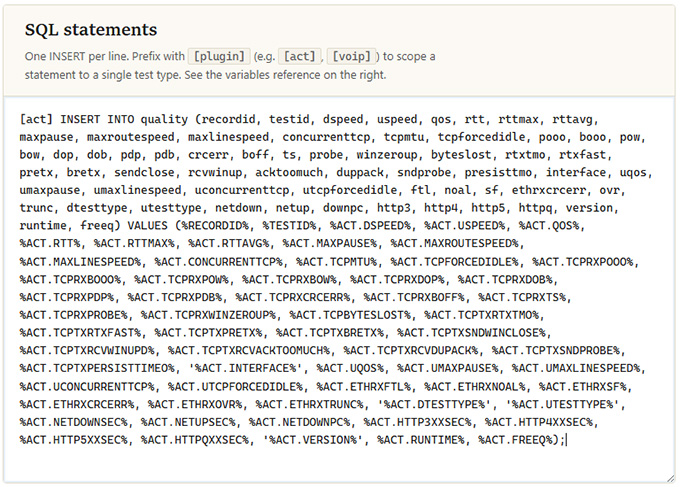
Save the profile to complete the setup.
From now on, whenever a Quality test is run, this profile automatically exports its results into the quality table.
To confirm data is arriving, view the table from a MySQL command prompt with select * from quality;.