

How it works
Automatic log-on grants a specific IP address an automatic sign-in as a chosen MyConnection Server (MCS) user. It is useful for a trusted workstation, such as an administrator's machine, that should reach MCS without entering credentials each time.
Auto-logon sets the starting identity only. A user at one of these addresses can still sign in as someone else if they need different privileges.
Warning: Auto-logon for an administrator account is not advised. Anyone on that IP address gains administrative access without a password.
The auto-logon list
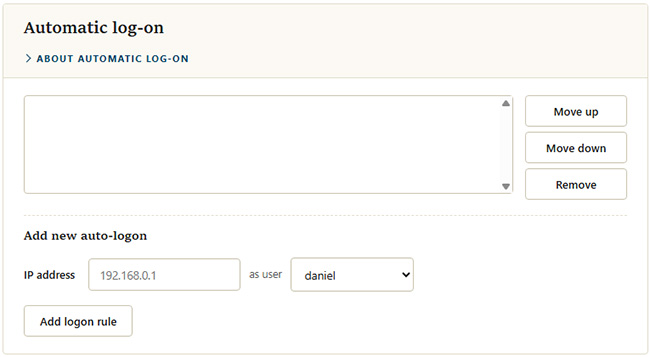
Configured addresses appear in the list at the top of the section. Entries are matched from the top down, so use
Adding a rule
Under