

Overview
The Licensing page is where you enter your MyConnection Server (MCS) license keys, choose which test modules to enable, and review the edition, limits, and capabilities your license grants. Open it from
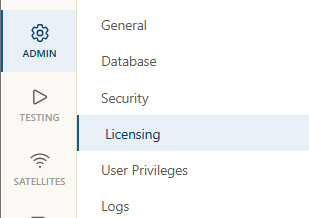
To buy or upgrade a license, contact sales. Once you have a key, enter it on this page and click
License keys
MCS accepts up to three keys. Paste a key into the matching field and click
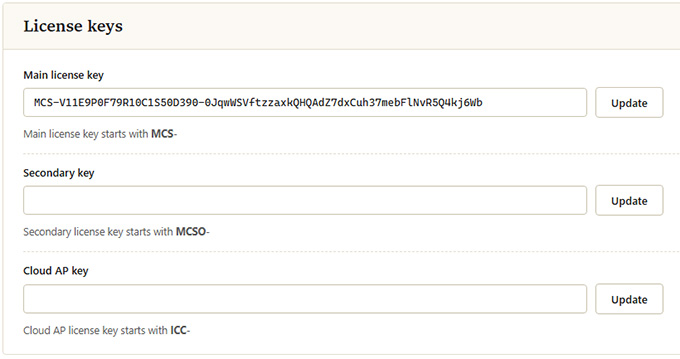
| Key | Prefix | Description |
|---|---|---|
| Main license key | MCS- |
Your primary product license. It sets the edition, the number of test modules, the CAT allowance, and the capabilities available to the server. |
| Secondary key | MCSO- |
An optional additional key that supplements the main license. |
| Cloud AP key | ICC- |
Licenses Quality Assessment Cloud access points (APs). |
Activating your license
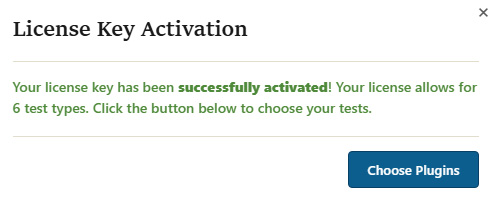
When you update the main license key with a valid key, MCS activates it and, if your license covers a choice of test modules, prompts you to select which ones to enable.
Activation prompt
A confirmation appears once the key is accepted, stating how many test types the license allows. Click
Choosing modules
The
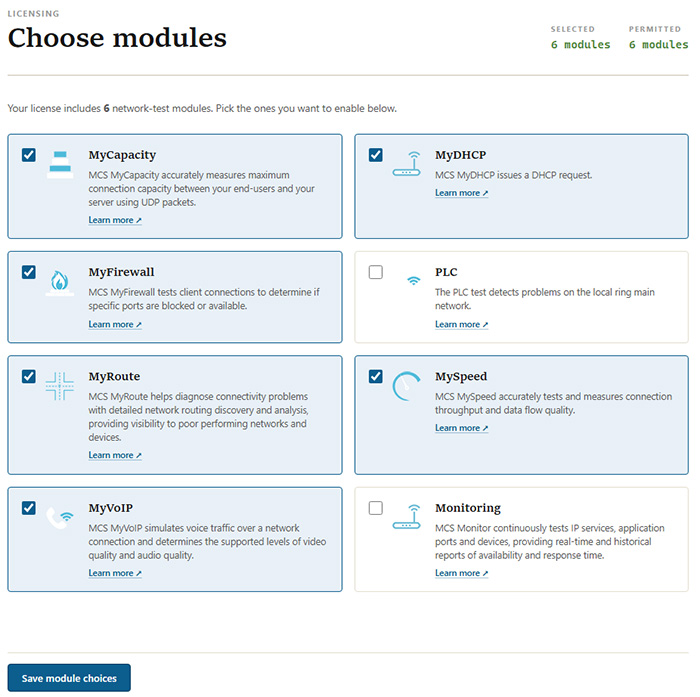
Each module card carries a short description and a
| Module | Description |
|---|---|
| MyCapacity | Accurately measures maximum connection capacity between your end-users and your server using UDP packets. |
| MyDHCP | Issues a DHCP request. |
| MyFirewall | Tests client connections to determine if specific ports are blocked or available. |
| PLC | Detects problems on the local ring main network. |
| MyRoute | Diagnoses connectivity problems with detailed network routing discovery and analysis, giving visibility into poor performing networks and devices. |
| MySpeed | Accurately tests and measures connection throughput and data flow quality. |
| MyVoIP | Simulates voice traffic over a network connection and determines the supported levels of video quality and audio quality. |
| Monitoring | Continuously tests IP services, application ports, and devices, providing real-time and historical reports of availability and response time. |
License status
Below the key fields, MCS displays the current state of your license across several panels.
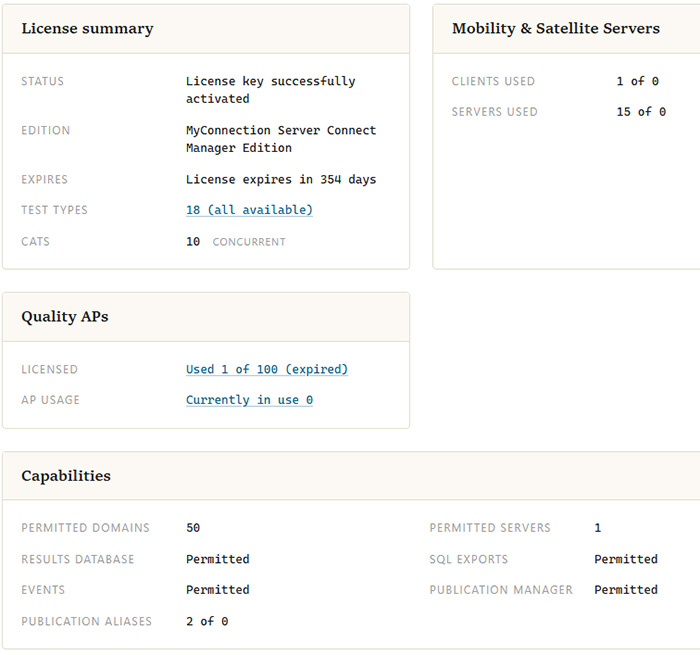
License summary
| Field | Description |
|---|---|
| Status | Whether the license key has been successfully activated. |
| Edition | The licensed MCS edition, for example MyConnection Server Connect Manager Edition. |
| Expires | How long until the license expires. |
| Test types | The number of test modules the license permits. The link opens the list of licensed modules. |
| CATs | The number of Concurrent Assessment Tests (CATs) the license allows to run at the same time. |
Mobility & Satellite Servers
| Field | Description |
|---|---|
| Clients used | The number of client licenses in use out of the total the license provides. |
| Servers used | The number of server licenses in use out of the total the license provides. |
Quality APs
| Field | Description |
|---|---|
| Licensed | How many cloud Quality APs are licensed and used, along with their status. |
| AP usage | How many APs are currently in use. |
Capabilities
| Field | Description |
|---|---|
| Permitted domains | The number of domains the license allows you to permit. |
| Permitted servers | The number of servers the license permits. |
| Results database | Whether use of the results database is permitted. |
| SQL exports | Whether exporting results to SQL is permitted. |
| Events | Whether events (alerts) are permitted. |
| Publication manager | Whether the publication manager is permitted. |
| Publication aliases | The number of publication aliases in use out of the total the license provides. |