

Configuration Options
The FTP test connects to an FTP server and measures download and/or upload transfers, repeating over the duration of the test.
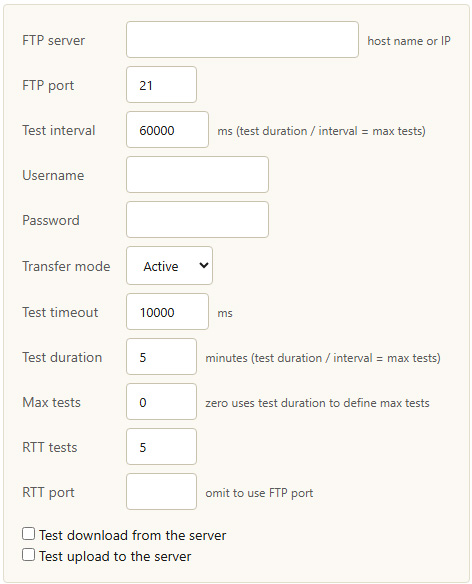
FTP test configuration options
| Option | Description |
|---|---|
| FTP server | The host name or IP address of the FTP server. |
| FTP port | The FTP control port. The default is 21. |
| Test interval | How long to wait between test iterations, in milliseconds. Test duration divided by interval gives the maximum number of tests. |
| Username / Password | Credentials used to log in to the FTP server. |
| Transfer mode | Active or Passive FTP. Passive mode is often required when the client is behind a firewall or NAT. |
| Test timeout | How long to wait for the server before treating an operation as timed out, in milliseconds. |
| Test duration | How long the test runs, in minutes. |
| Max tests | An upper limit on the number of test iterations. Zero uses the test duration to define the maximum. |
| RTT tests | How many round-trip time measurements are taken. |
| RTT port | The port used for round-trip time measurement. Omit to use the FTP port. |
| Test download from the server | When enabled, measures a download transfer from the FTP server. |
| Test upload to the server | When enabled, measures an upload transfer to the FTP server. |