

What is the HTTP API?
The HTTP API is a secure, read-only interface that lets external tools and systems retrieve MyConnection Server test data programmatically, rather than through the browser. It returns the same result data you see in the tabular database report, formatted as JSON so it can be consumed by dashboards, scripts, data warehouses and other automated processes.
Access is controlled entirely with API keys. Each request must present a valid key, and the data returned is scoped to the permissions of the user that owns the key.
Licensing
The data endpoint of the HTTP API requires the Publish Manager license feature. If the feature is not present on your license, the API administration pages display a notice indicating a license is required, and the data endpoint returns a "feature not licensed" response. The lightweight authentication-check endpoint (ping) does not require the license, so it can always be used to confirm a key is valid.
Enabling the API
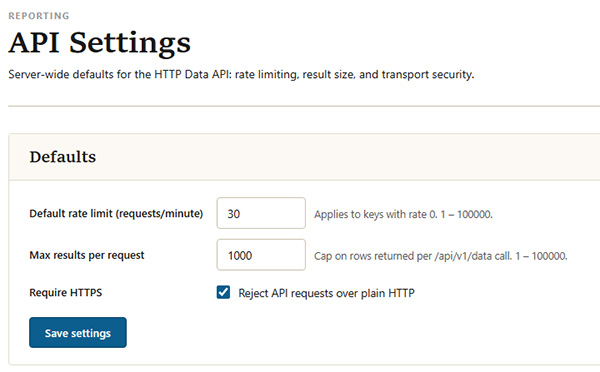
The HTTP API is disabled by default (fail-closed). It is switched on with the API access toggle on the API Keys page. For security, API requests must be made over HTTPS unless that requirement is explicitly relaxed in the API settings.
Who can manage the API
Managing the API (creating and revoking keys, and changing settings) requires the API administration privilege. This privilege can be delegated to individual administrator accounts from the user configuration page; the master administrator always holds it. Users without the privilege cannot see or change API keys or settings.
Security model
- Hashed secrets: only a hashed form of each key is stored. The full key is shown once, at the moment it is created, and cannot be retrieved afterwards.
- Bearer authentication: keys are supplied in a standard
Authorization: Bearerrequest header. - IP allow list: each key can optionally be restricted to a set of source IP addresses or ranges.
- Rate limiting: requests are rate limited, either per key or using a server-wide default.
- Key expiry: each key can optionally be set to expire automatically after a number of days.
- HTTPS: API requests are required to use HTTPS by default.
Next steps
- API Keys: create, restrict and revoke the keys that authenticate requests.
- API Settings: enable the API and set the server-wide defaults.
- Making Requests: the endpoints, authentication, filtering and pagination.