

Configuration Options
The web test repeatedly requests a URL from a web server and measures whether it responds and how quickly. The options are grouped into connection, authentication, and scheduling settings.
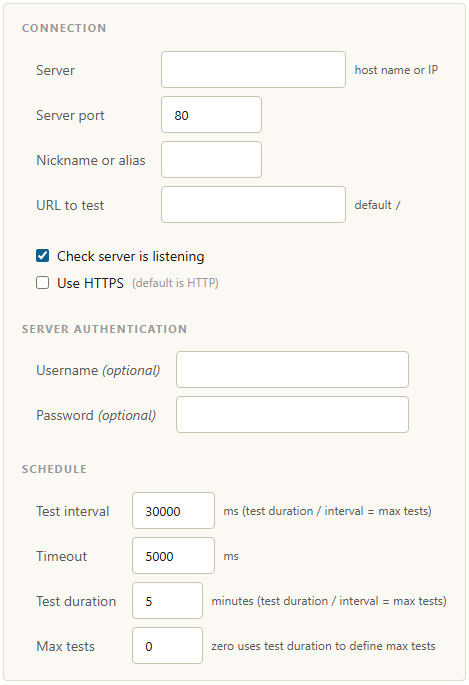
Web test configuration options
| Option | Description |
|---|---|
| Server | The host name or IP address of the web server to test. |
| Server port | The port to connect to. The default is 80. |
| Nickname or alias | A friendly label for the target, shown in the client interface and database reports. |
| URL to test | The path to request on the server. The default is /. |
| Check server is listening | When enabled, MCS confirms the server is reachable before starting the test. |
| Use HTTPS | Connect over HTTPS instead of HTTP. The default is HTTP. |
| Username / Password (optional) | Credentials to use if the server requires authentication. |
| Test interval | How long to wait between test iterations, in milliseconds. Test duration divided by interval gives the maximum number of tests. |
| Timeout | How long to wait for the server before treating a request as timed out, in milliseconds. |
| Test duration | How long the test runs, in minutes. |
| Max tests | An upper limit on the number of test iterations. Zero uses the test duration to define the maximum. |