

How it works
These options control the attributes MyConnection Server (MCS) adds to the Set-Cookie header for session cookies. They harden the session cookie against interception and theft.
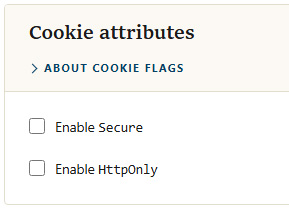
Cookie attributes
Options
| Option | Description |
|---|---|
| Enable Secure | Adds the Secure flag so the cookie is only ever sent over HTTPS. This is useful when MCS sits behind a reverse proxy (such as Apache or nginx) that terminates SSL, because MCS itself may not otherwise see that the connection to the browser is encrypted. |
| Enable HttpOnly | Adds the HttpOnly flag so client-side JavaScript cannot read the session cookie, mitigating cross-site scripting attempts that try to steal it. |
Note: If you enable HttpOnly, confirm that browser-based testing for the public user still works, as some test flows expect cookie access.
Applying the flags
Tick the flags you want and click