

Download Contact Sales
User Guide

Manage Actions

View, create, modify, and delete actions in MCS.

Managing actions

Actions bundle a sequence of steps that can be referenced by a publication or scheduled test. Selecting SatellitesActions from the MCS menu opens this page, which lists the actions already defined and lets you create a new one.
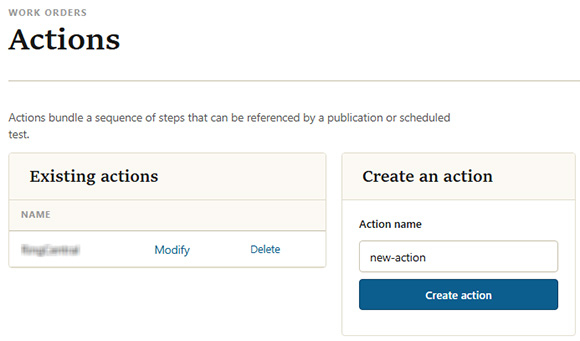
Actions page with the existing actions list and the create-an-action panel
Manage actions

Existing actions

Each action already defined is listed by name. Next to each one:

  • Click Modify to open the action and change the steps it performs.
  • Click Delete to remove the action.

Create an action

To create a new action, enter a name under Action name and click Create action. This opens the action screen, where you add the steps the action performs.