

Configuration Options
Note: The MyPLC test uses the Access Series device's ability to connect directly to the network and interact at the Ethernet level. It is therefore not supported using normal software satellites.
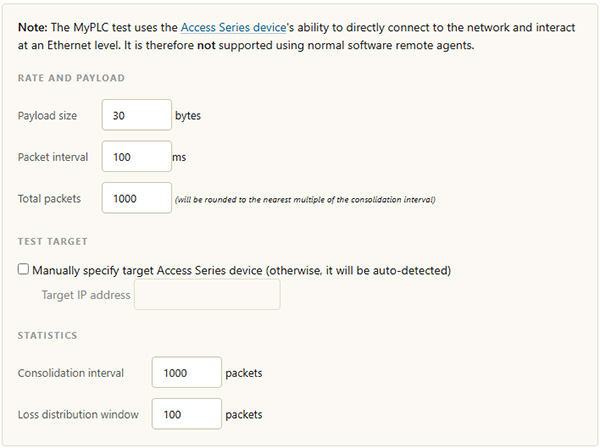
PLC test configuration options
| Option | Description |
|---|---|
| Payload size | The size of each packet's payload, in bytes. |
| Packet interval | The time between packets, in milliseconds. |
| Total packets | The number of packets to send during the test. This is rounded to the nearest multiple of the consolidation interval. |
| Manually specify target Access Series device | When enabled, you set the target device by IP address below. When disabled, the target device is auto-detected. |
| Target IP address | The IP address of the Access Series device to test against, used when specifying the target manually. |
| Consolidation interval | The number of packets grouped together when consolidating statistics. |
| Loss distribution window | The sample window, in packets, used to measure how packet loss is distributed across the test (for example, whether loss occurs in bursts). |