

Go to General Config
Before a browser test can run, the domain it is running on must first be permitted by MCS.
Click General Config from the Administration panel in the MCS main menu.
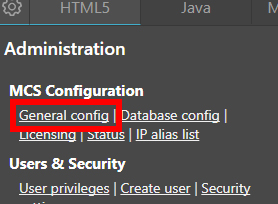
General Config link
Permitted Domains
Scroll down to the Permitted Domain section and enter a domain. For example, if visualware.com is entered, any tests running on that domain, including its subdomains, will be allowed. Omit the protocol (http/https) when adding a domain.
There is a domain limit (shown as 50 below). Any domains added beyond this limit will be ignored.
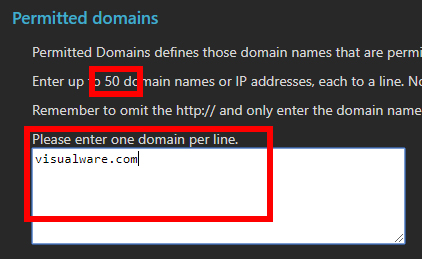
Permitted Domains section
Click Submit Changes at the bottom of the page to finish.