

Overview
Sync timers allow MCS to establish and coordinate a global network behavioral test from any number of remote MCS satellites, including mobile devices and tablets.
Creating a New Sync Timer
There are three settings when creating a new SYNC timer.
| Field | Description |
|---|---|
| Name | A reference name for the timer. Must be lowercase without spaces or special characters. |
| Type | Timers can count up to sync or count down to sync. Choose the required option from the drop-down menu. |
| Time | Time value in minutes that the timer should use. |
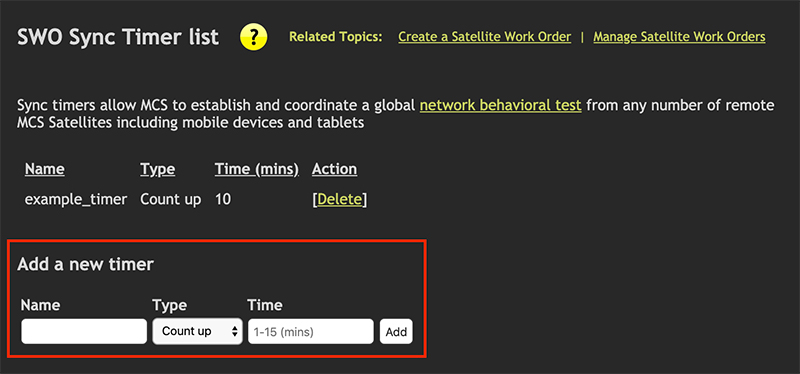
Fig 1. Create timer options
Managing Existing Sync Timers
Existing timers are displayed in a list. To delete a timer, click the
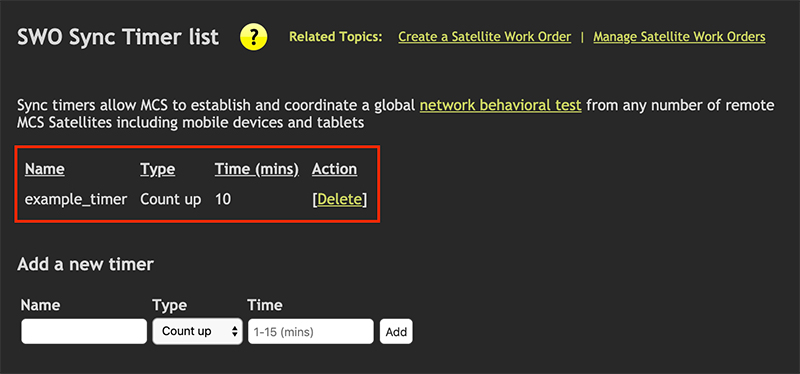
Fig 2. Review/delete timer
Assigning a Sync Timer
The image below shows the view when editing a satellite work order (SWO) task. A work order can contain numerous tasks, and syncing them can be very beneficial.
To assign a timer to a task, first expand the calendar section, then check the
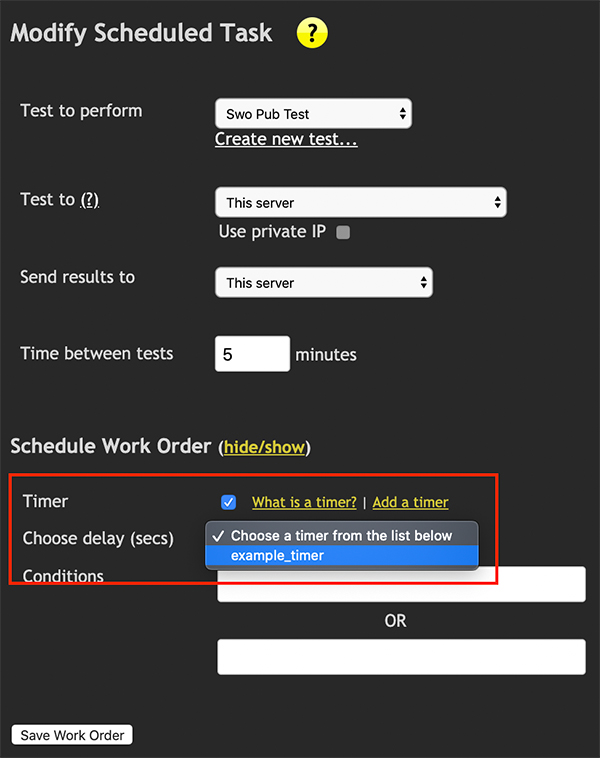
Fig 3. Assign a timer to a work order