Publish a Satellite Work Order
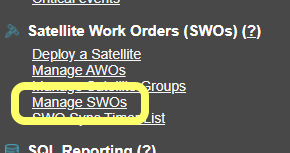
From the MCS Administration menu, click on
To publish a new SWO, click the
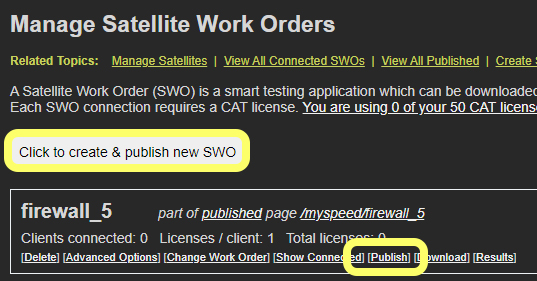
This will start the wizard process detailed in the Create a Work Order tutorial.
Satellite Download Page
Once the SWO has been published, a page like the one below will appear.
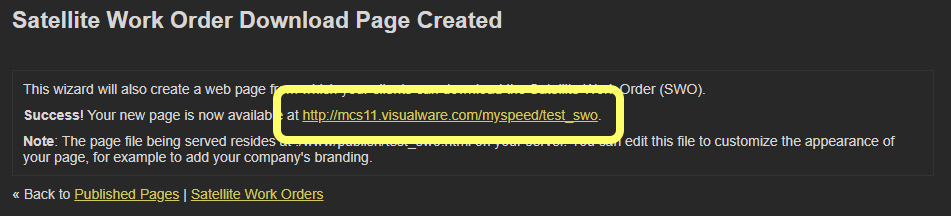
Clicking the link presents a SWO download page, which can be shared directly with the end user if needed.
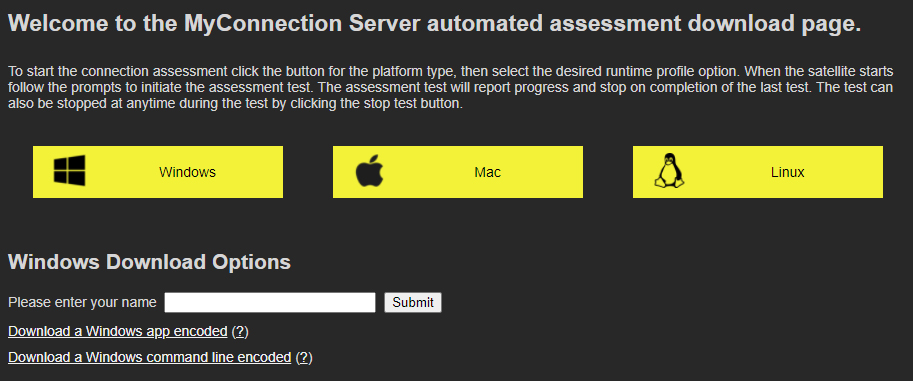
The image above shows what the user would see if the Windows button was clicked and the "ask user for information" option was chosen during publishing. The user must enter the information and submit before the download links are revealed.
Satellite Download
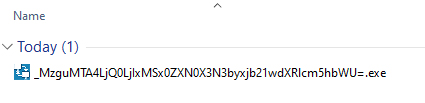
The downloaded satellite file will have a long name. The name contains all the information required to run the satellite, so it is important not to rename the file before running it.