

Overview
When a publication is created in MCS it appears in the publication queue. Reports will remain here indefinitely unless deleted by the user or removed automatically by the
Queue Overview
When a publication is first scheduled it will appear in the list as
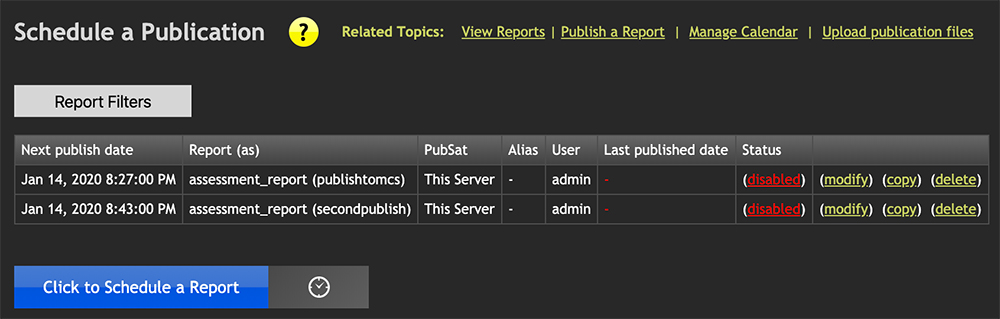
When the disabled link is clicked, the status changes to enabled and the report will be published according to the publication's calendar settings. The time it was last published will also appear. If the last published date is shown in red, it means the report did not publish as planned.
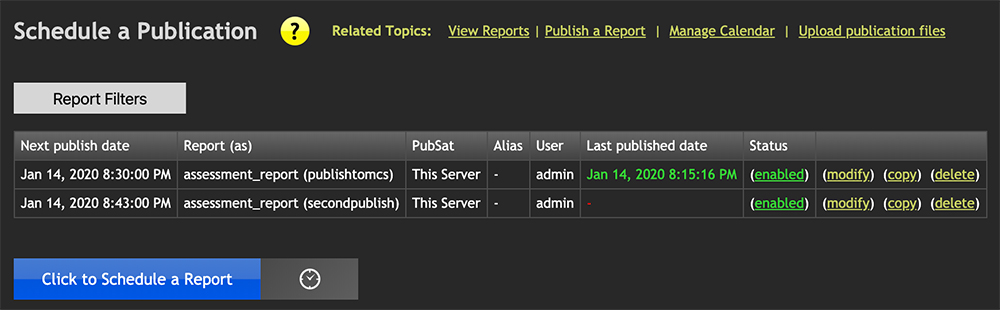
Queue Details
| Column | Description |
|---|---|
| Next publish date | The date/time of the next publish attempt. |
| Report (as) | The HTML file in the /reports/ directory used for this publication. The "as" name is what the report is published as. For example, the file on disk could be defaultrep.html but it will be published as nyc_endofmonth.html. |
| Pub Sat | The publication satellite being published to. Multiple PubSats are possible to distinguish destination servers. "This Server" means the report is published to MCS itself. |
| Alias | Every PubSat must have at least one alias. An alias allows multiple root directories to be established, useful when a web server serves more than one department. When publishing to MCS, the alias shows as a dash. |
| User | The username that was logged in when the publication was created. |
| Last publish date | The last date and time the report was published. If shown in red, something went wrong with the last publication. |
| Status | Enabled or Disabled. Clicking the link switches between the two. New publications always start as disabled. |
| Actions | Links to modify, copy, or delete a publication. |
Filters
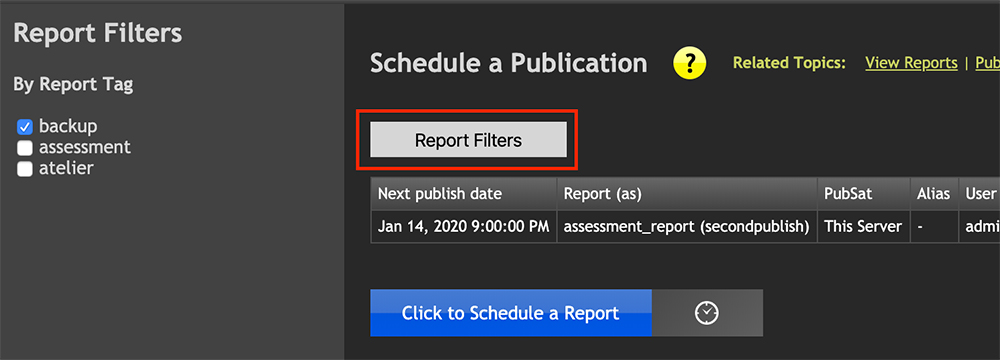
Clicking the