

Overview
Advanced filters can be used in both the publishing system and the conventional tabular database reports.
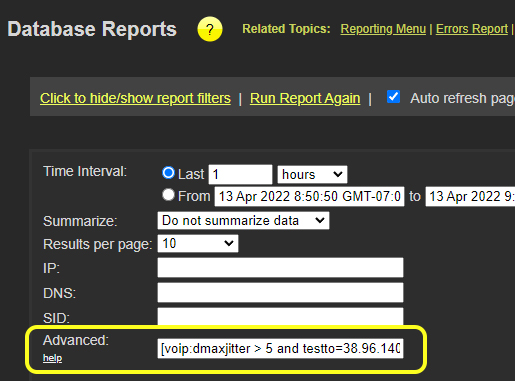
Advanced filters
Click here to see the global and test metrics you can use in filters.
Filter Format
Below are some examples of how to use the filters.
Note: When using these filters in publishing data sets they must be wrapped in quotes.
Filter by a single metric
[voip:jitter > 5.3]Note the colon between the test type and the metric name. The filters are also enclosed in open and close square brackets.
Filter by two metrics of the same test type
[voip:jitter > 5.3 and djitter > 4]When defining metrics from the same test type, the test type is only required on the first filter.
Filter by a global metric
[gbl:testto = 1.2.3.4]This filter would only show tests that were performed to the IP 1.2.3.4.
Filter by a global metric and a test metric
[voip:jitter > 5.3 and djitter > 4 and testto=1.2.3.4]The gbl prefix is not required for global filters when combined with test metrics.
Filter across multiple test types
[voip:jitter > 5.3 and djitter > 4 and testto=1.2.3.4][act:dspeed > 20000]Separate test types should be in separate square brackets.