

Configuration Options
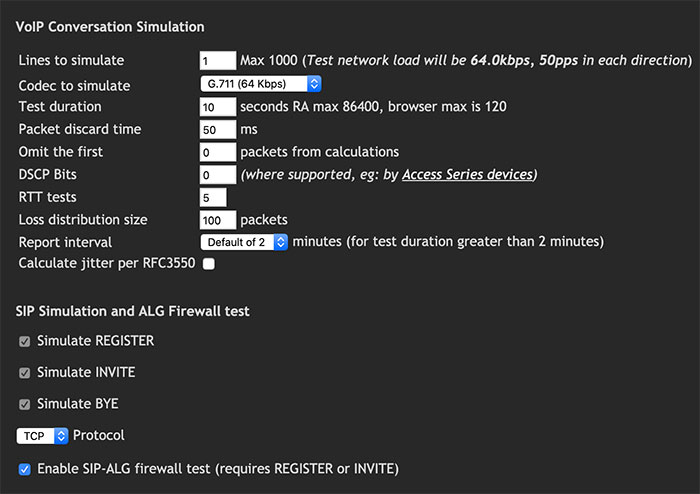
Fig 1. VoIP test configuration options
| Option | Description |
|---|---|
| Number of Lines to Simulate | Number of VoIP lines to simulate. This effectively multiplies the payload of the test. |
| Codec to Simulate | The payload codec. A custom ("other") option accommodates non-standard codecs if required. |
| Test Duration | Length of the VoIP test in seconds. Maximum allowed is 90 seconds. |
| Packet Discard Time | Maximum time limit for accepting late-arriving packets, after which the packet is recorded as discarded. |
| Omit the First | Number of initial packets to exclude from measurement, compensating for connection ramp time that may affect results. |
| DSCP Bits | Decimal values between 0 and 63 that dictate how routers prioritize traffic. Enables time-sensitive data to be prioritized. See Differentiated Services for details. |
| Report Interval | How often the test posts results to the MCS database. |
| SIP Simulation | Provides synthetic measurement of the Register, Invite, and Bye SIP sessions. |
| Enable SIP-ALG | Detects the presence of SIP ALG (Application Layer Gateway), which is common in commercial routers and inspects/modifies VoIP traffic to prevent firewall-related problems. |