

Advanced Options
From the Satellites menu in MCS, check one or more Access Devices and click the
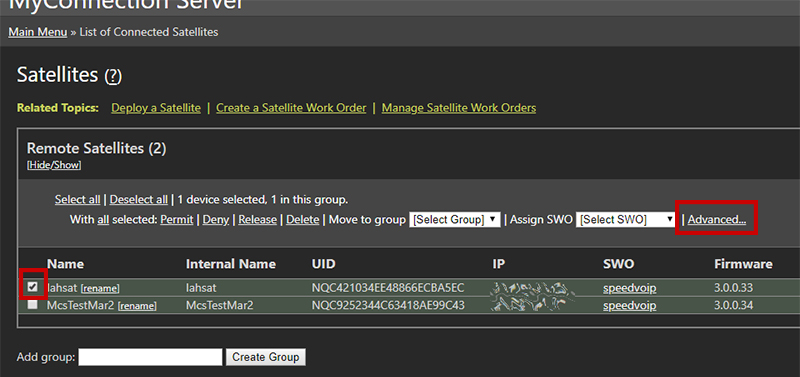
Check and click the Advanced link
The Advanced Settings contain numerous configuration options, from test ports to MTU and window size.
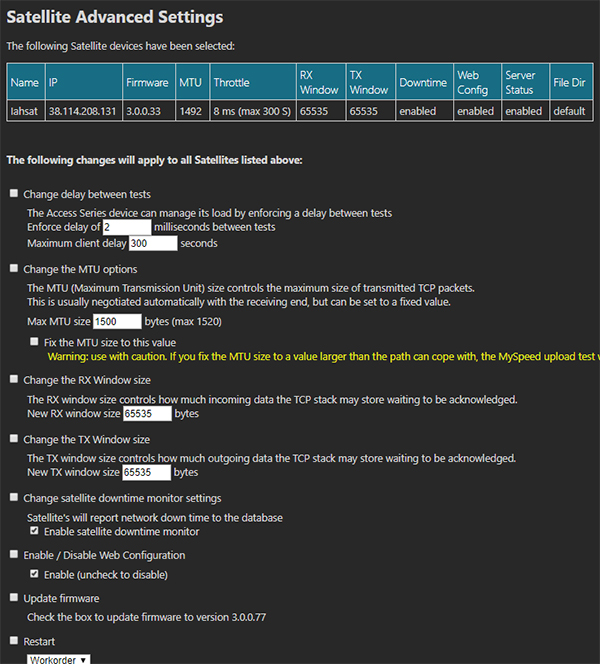
Advanced options
For further help with these settings, please contact support.